Gamers often struggle to buy the best equipment, since the choice between things they want for their computers is so vast, that actually deciding whether to go for the best, or the average is still a pretty hard task. We’ve collected several gaming mechanical keyboards that we think are the most gamer-friendly but also have everyday use value as well. Check on the list and have much easier time deciding which gaming keyboard is the best for you.
Razer Ornata Chroma
 Razer is on a multimedia spree – releasing various products from hardware to PC equipment such as described here Razer Ornata Chroma. The keyboard that aims at providing maximum gaming comfort for all at a relatively low price when it comes to its fanciness. The chroma backlight, allows you to create pretty much unlimited amount of color patterns.
The software included with this keyboard (Ryzen Synapse) it is possible to freely customize the keyboard to suit every gamers needs. Additionally, the entire keyboard comes with pretty comfortable wrist rest.
Despite any good words that we might say about this keyboard, it requires its user to get used to it. The feel when typing might be quite unusual to what you might have experienced so far. What’s more, the keyboard packs separate keys for audio management for example (those are embedded into function keys). Another thing that is missing is lack of USB passthrough and possibility to plug in additional audio device. The chroma lighting makes this keyboard worth around $99, while the standalone version with green lights costs only $79.
PROS:
- Good price
- Comfortable typing (when the user gets used to a different feel)
CONS:
- not entirely plug-and-play. Might require some custom adjustments in software after installation
- Lack of USB passthrough.
Logitech G610 Orion Brown
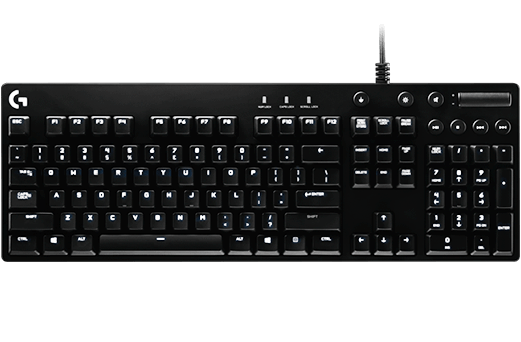 G610 Orion Brown is a solid keyboard, designed for Logitech fans. This keyboard doesn’t have multicolored lighting like other models, as well as lack of USB 3.0 ports, you might want to still consider this keyboard when purchasing a gaming set, due to it’s $120 price tag which seems quite reasonable for the typing and gaming comfort it provides.
Cherry MX key switches give the gamers a really nice feel when playing the favourite game. What’s more, the brightness of the lighting on the keyboard is programmable.
The biggest drawback is its simplistic look, which does not make it stand out in almost any way. It’s just a simple looking keyboard, yet very solid. Every fan of cherry MX keys switches should be proud and satisfied as long as longevity of a keyboard is something you are looking for. In terms of aesthetics, you might be disappointed. Another drawback is, just like in previous keyboard described, this model lacks USB and audio ports as well as wrist rest.
Das Keyboard X40 Pro Gaming Mechanical Keyboard
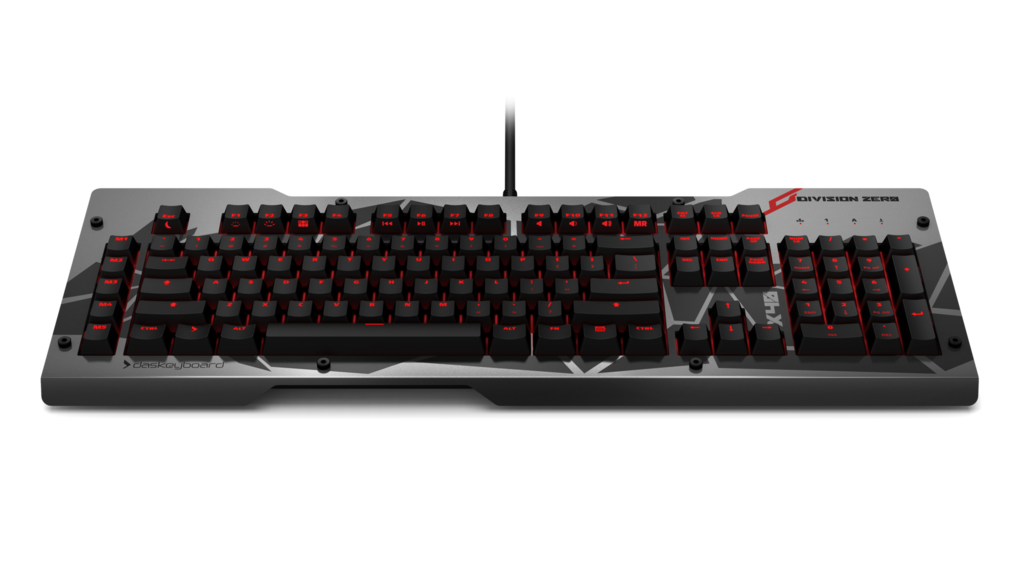 What can be attributed to Das Keyboard X40 is its unique look, that’s for sure. This keyboard as the first one on the list is equipped with USB and audio passthrough inputs.
Apart from customizable F keys, it also does have additional 5 macro keys for which you can set-up whatever you like. We believe it is a nice addition to the set.
It is possible to easily change the level of backlight with F1 and F2 keys – the keyboard allows 5 different levels of brightness on the keyboard. What’s more, you may disable windows key, which will definitely be something nice for gamers who tend to accidentally hit that button by accident.
This keyboard is unique when it comes to its look thanks to its aluminum panel which presents a unique collection of shapes on it. For those who don’t find it a satisfying design, it is possible to remove or change the aluminum top freely.
The software included with X40 it is possible to change polling rate and also quickly set up the macro keys. It’s simple yet useful software, however it is not mandatory.
PROS
- Solid.
- USB and audio passthrough.
- Removable aluminum panel
CONS
- Pretty expensive as for the amount of functionality it provides
Roccat Ryos MK Pro
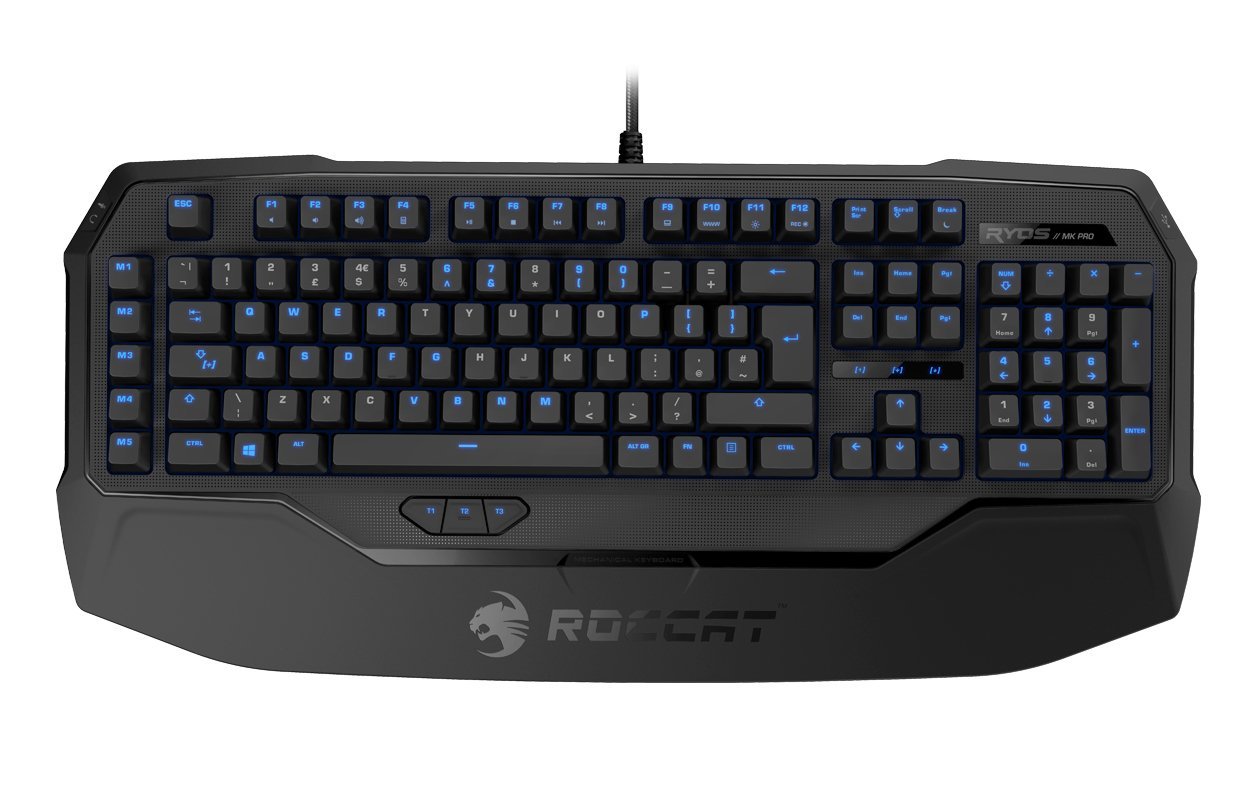 Ryos MK Pro is yet another truly gaming keyboard. With its full upgrade to mechanical keys, this is a keyboard worth considering despite it price of around $120.
Reconfiguration of the keys should not cause any problems, but should rather be an express process. Additionally, the keyboard has couple additional programmable keys to help you along your gameplay. This model apart from 5 macro keys located on the left side, also have additional 3 keys below spacebar which are fully configurable. Apart from that you can also change the level of backlight brightness. Each key can be individually back-lighted or not. Designers also made sure to keep the keyboard more elegant by implementing smudge-resistant keys.
When it comes to other utilities, the keyboard is equipped with additional USB passthroughs (2.0), as well as audio and microphone inputs. This finely improves the gameplay when someone often switches between mices or headphones. Additionally the keyboard has built-in wrist rest which should also be appreciated.
PROS
- Smudge-protected keys
- Additional macros
- USB/audio passthrough
- Wrist rest
CONS
- Backlight limited to blue color
Razer BlackWidow Tournament Edition Chroma
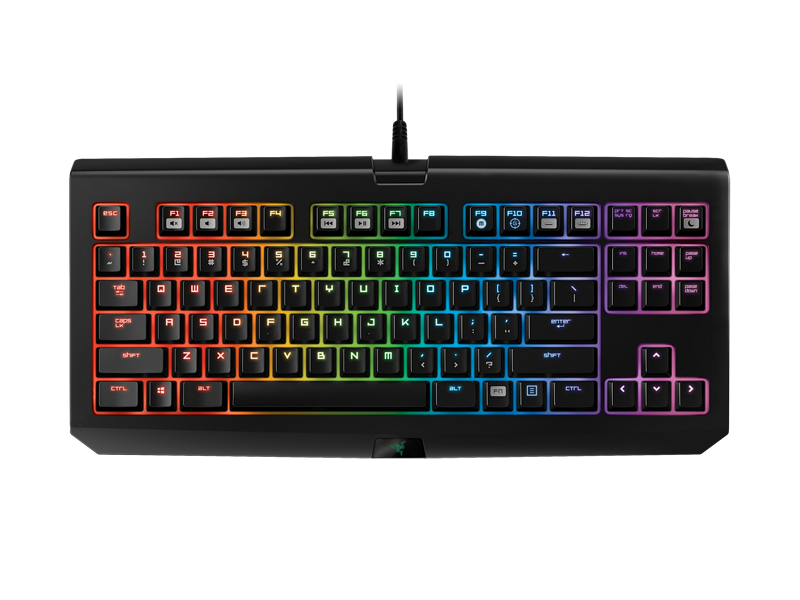 BlackWidow Tournament Edition Chroma is a keyboard which is used only for gaming and simple tasks. It is not a very good choice for someone who also uses keyboard for other things.
It lacks numeric keypad and USB/audio passthrough. It pretty much is deprived of all utilities. However it is still one of the top keyboards. Why?
Because it is compact, and focused on gamers. If you have to play your games away from your home, this keyboard comes in handy due to its compact size and small weight.
The keyboard allows gaming mode which disables both windows key as well as alt-tab keys. Backlights are freely customizable just like in the example of Razer Ornata Chroma. Backlights are definitely something that make this keyboard stand out despite its size.
PROS:
- Compact size – you can take it anywhere with you.
- Mechanical keyboard, very convenient for gaming.
- Backlights!
CONS:
- Not very useful for other things than gaming.
Corsair Strafe Mechanical Gaming Keyboard
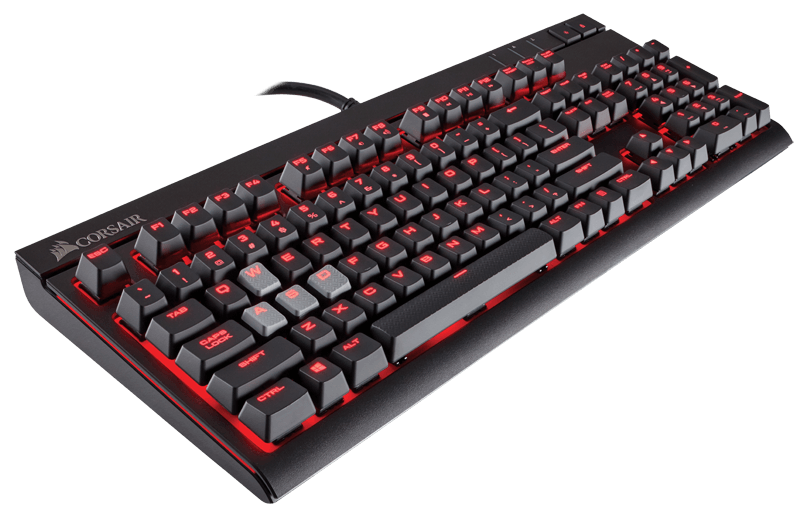 For just 80$ you get a keyboard that is just as good for gamers as any other. Its price makes it a very good choice worth considering the purchase.
While for Corsair Strafe you won’t manage to have colorful keys or some additional customizable macro keys, it is still a very comfortable in use keyboard with professionally made mechanical keys. The problem however may arise from the lack of wrist rest.
The keyboard allows customization of visual backlight effects (red color only) and also is equipped with USB passthrough.
PROS:
- Very good price for the amount of fuctions
- Customizable backlighting
- USB input
CONS:
- Lack of wrist rest and colour customization
Corsair K95 RGB
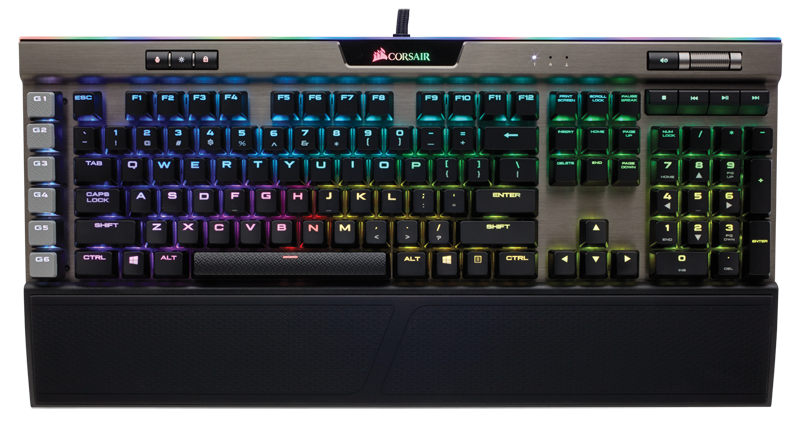
With price comes elegance and performance. Corsair K95 RGB, despite its high price of around $190 is definitely a good choice for games who need versatility in keyboards with rock solid construction.
The keyboard has as many as 18 customizable macro keys and allows variety of backlight options and adjustable polling rate. Additionally, you can safely remove the wrist rest if you do not feel like using it at all.
If there is something this keyboard lacks it would be the USB passthrough. While for some this might seem like nothing, for others this is a huge problem.
When we mentioned backlight color customization, we meant full and complete customization – each key can glow in a different color which makes it truly ‘rainbow-ish’ keyboard.
PROS:
- Exceptional backlight customization options
- 18 customizable macro keys
- Good for everyday use, not only gaming
- Removable wrist rest
CONS:
- Lack of USB passthrough
SteelSeries Apex M500
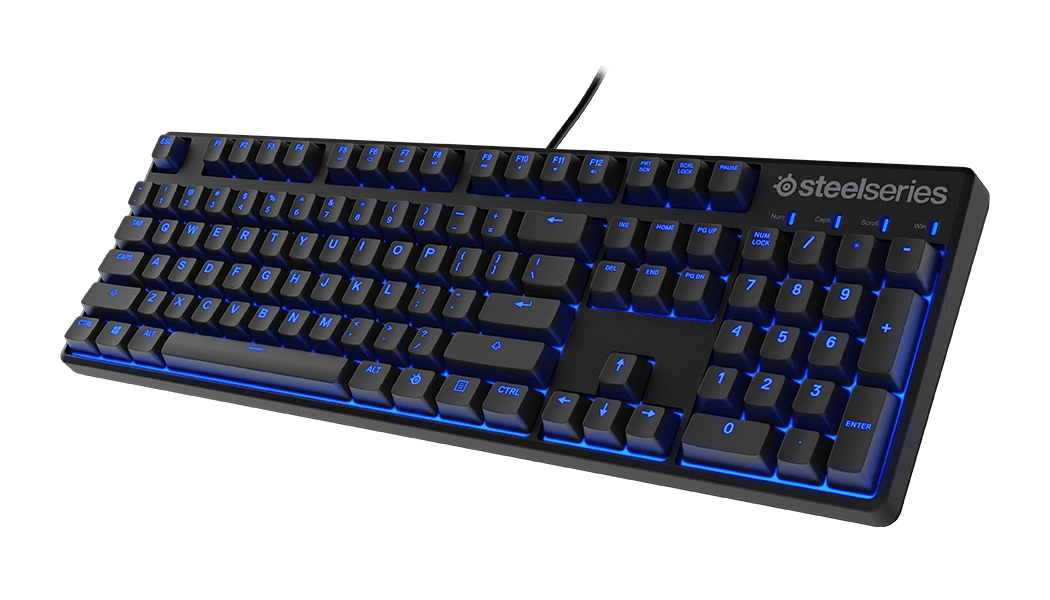 Similarly to Razer BlackWidow Tournament Edition Chroma, this model is meant to be as small as possible, to make it light and portable. This also makes its price rather encouraging ($89).
The keyboard is not equipped with customizable macros, which might hurt some gamers, especially MMORPGs, and also doesn’t offer much in terms of utilities. Backlights are limited to blue color and cannot be individually lit or have it brightness increased. It also lacks wrist rest.
However, when it comes to gaming itself, this keyboard will definitely give you fine experience with most game genres. And while the keyboard doesn?t have additional macro keys, it allows programming the currently existing ones.
PROS:
- Relatively low price.
- Keys are programmable.
CONS:
- Lack of wrist rest
- no USB/audio passthrough.
- No macro keys.
Logitech G910 Orion Spectrum
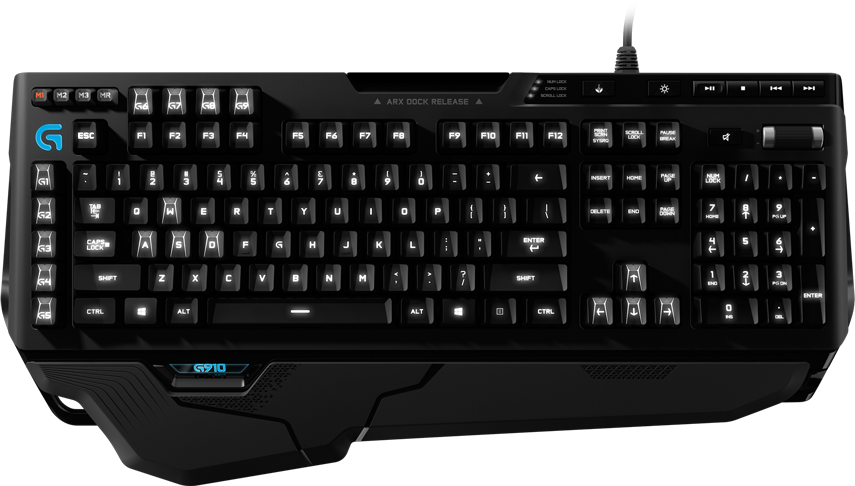 Logitech knows well what’s good for gamers. G910 Orion Spectrum is a successful attempt at creating both solid and streamline keyboard.
The wrist rest doesn’t take much space and yet is very convenient for keyboard’s users. Thanks for software included with the keyboard it is possible to use couple of pre-defined lighting templates and customize nine dedicated macros.
The keyboard is equipped with specialized smartphone dock which allows your phone to be conveniently placed for you in case you need it at every moment. It additionally allows you to monitor CPU performance, show benchmarking for some games, control movies, music and other types of medias – everything on your phone. This functionality has its issues unfortunately – for example: why include media control functions on your smartphone if those are already implemented on the keyboard itself.
PROS:
- Fully customizable lighting with many features
- 9 customizable macros
CONS:
- Docking station needs to be better thought-through.
Author: Mirillis Team