Things don’t go always as perfect as we’d like. Same goes for YouTube. It might happen that video you’ve uploaded (and published) just wasn’t appealing to your viewers, infringed someone’s copyrights (music in most cases) or you simply want to hide this video/don’t like it after all.
Deleting a video from YouTube is very easy. You don’t know how to remove a video from YouTube? Just follow the steps below!
Here are the steps of how to delete a Video From YouTube:
- Sign In to your YouTube Account
- Go to Creator’s Studio
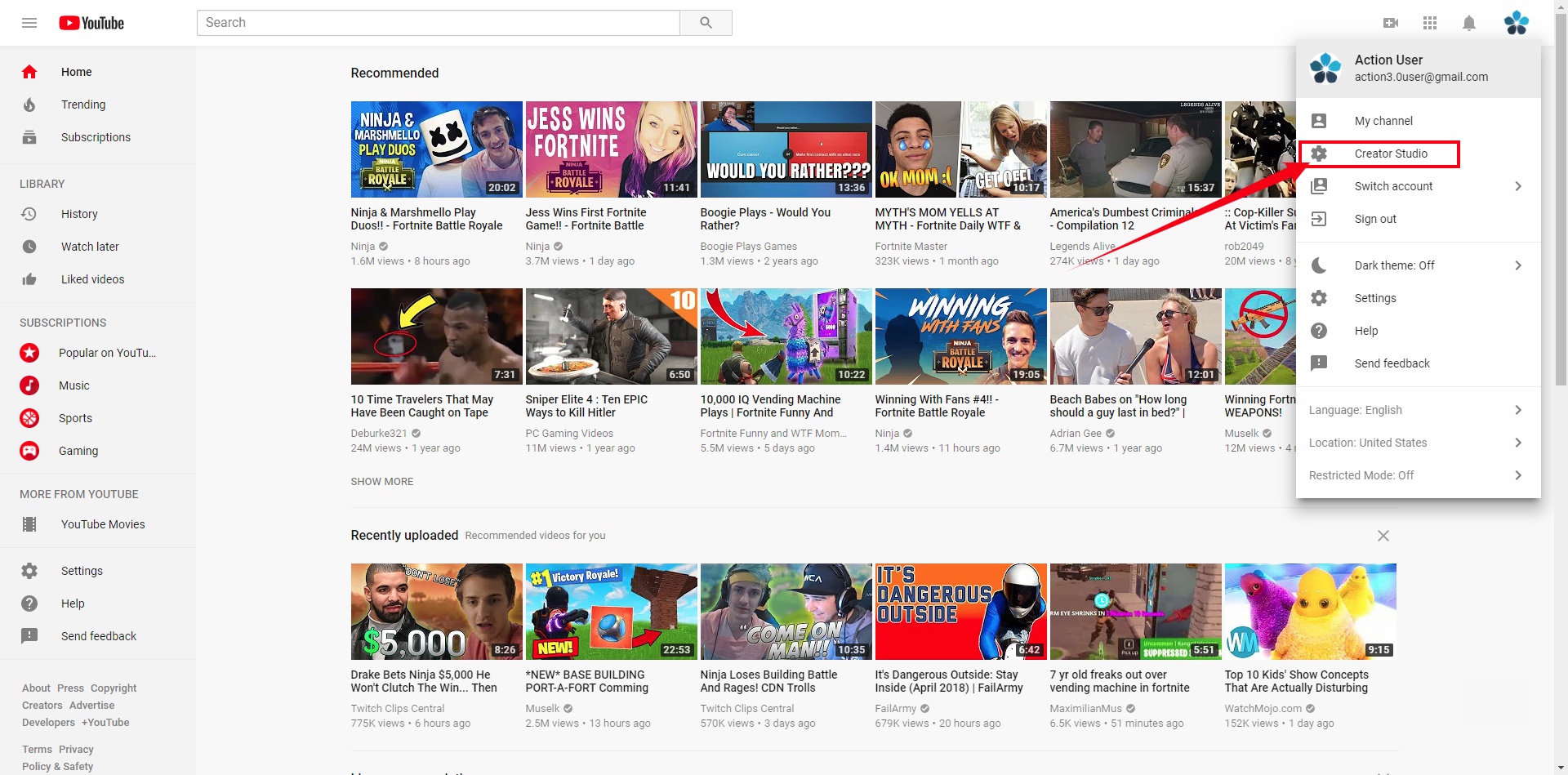
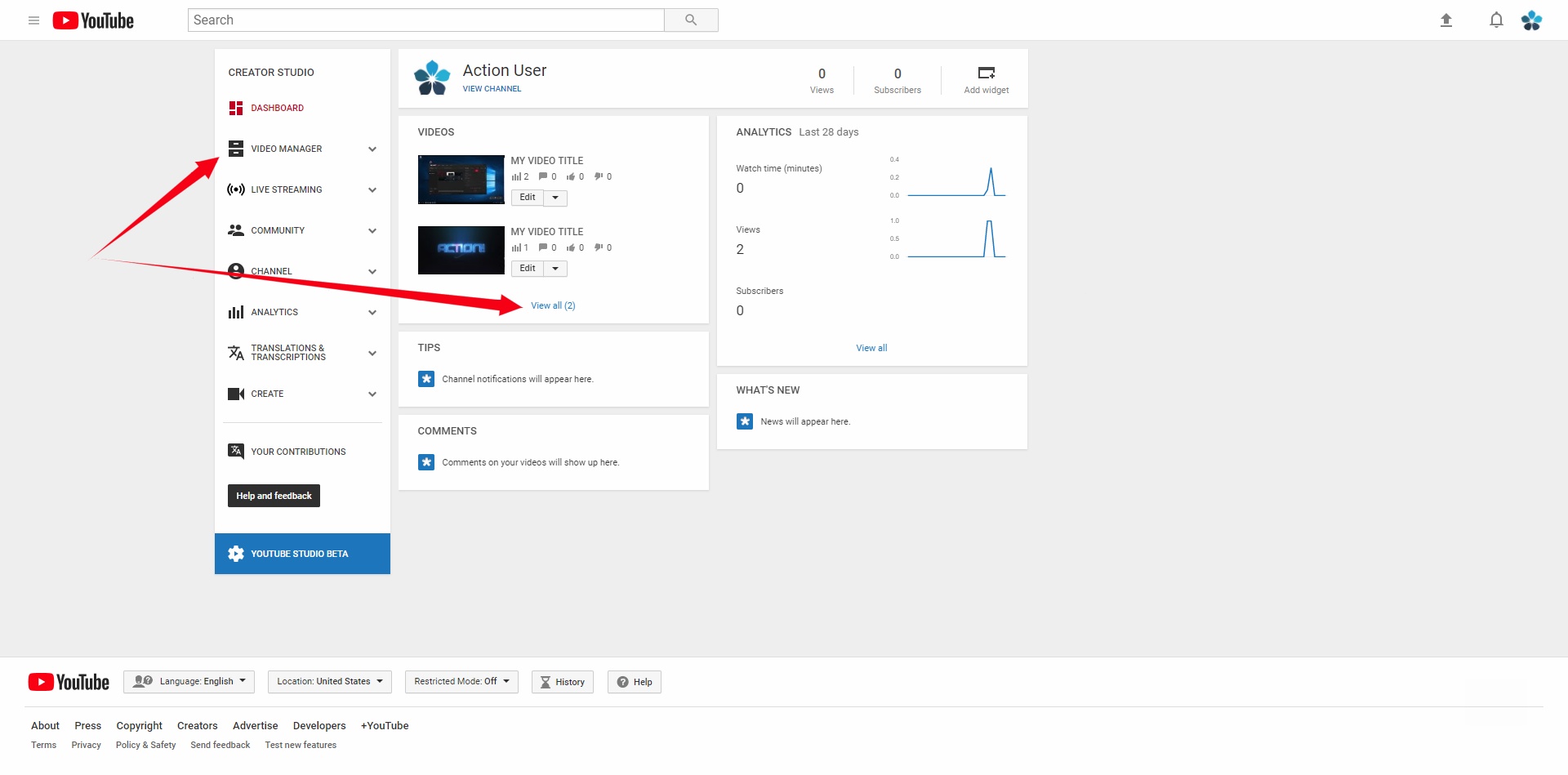
- Click on a Video manager or Click on “View all” Link in Video window Creators Studio the main page
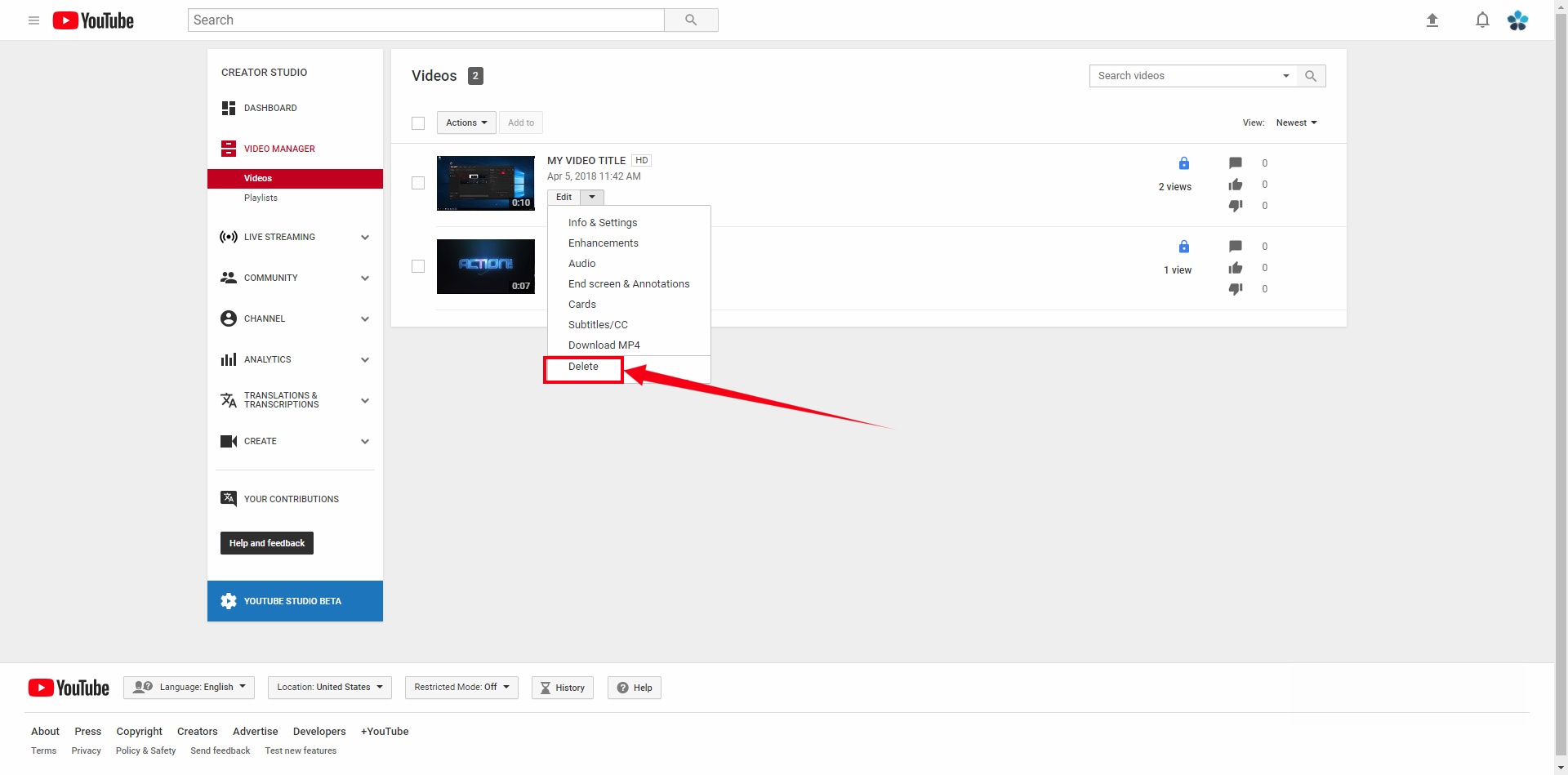
- Click on drop-down menu and simply select “Delete”
That’s it!
Few important remarks worth noting:
- Removal of a video is permanent. So if you ever want to go back to that video, make sure you have an additional copy somewhere on your computer.
- While you may re-upload the same video, it will not have the same URL (website address), and also statistics will be reset to 0.
- If you want to make small changes to your videos, you may use “enhancement” feature. It allows you to improve colors of the video as well as trim unnecessary scenes from the video. This way you don’t need to re-upload a video, and will still keep your statistics (unless the video has more than 100k views, then it won’t be possible any longer).
Author: Mirillis Team